QSR & Fast-Casual Digital Menus: Speed & Throughput
A QSR digital menu built for throughput: see how scan-to-order, automated upsells, and live sold-out updates speed the line and lift tickets at peak hours.
On this page 7
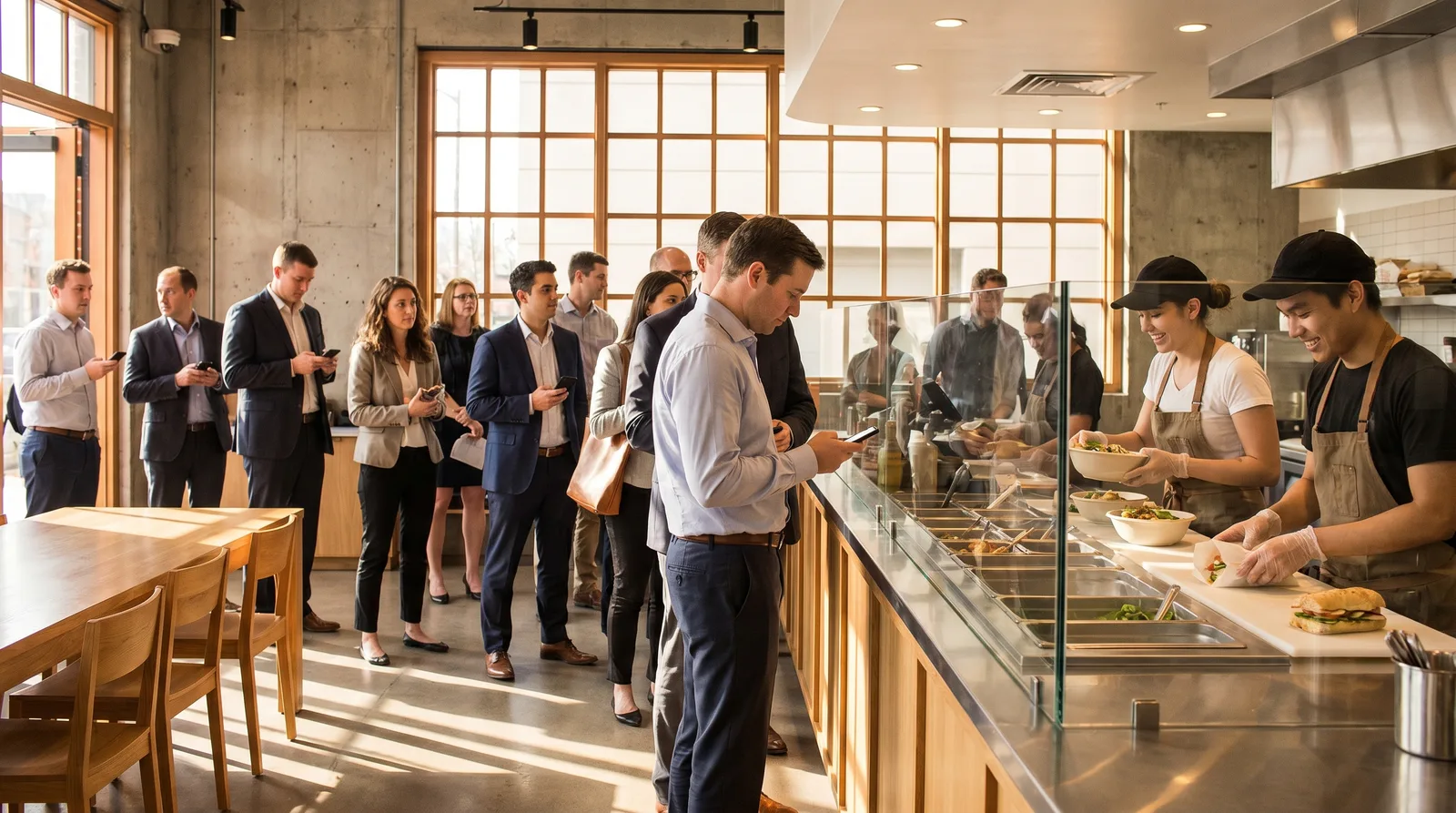
It's 12:40 p.m. and your line is eleven deep. Three people at the counter are still reading the wall menu when they reach the register, the kitchen is backed up on a combo that ran out of fries ten minutes ago, and the guy at position four just left because the wait looked hopeless. That single walk-off was a $14 ticket, and at peak you lose a handful of them every day. A QSR digital menu attacks exactly this bottleneck: it moves the decision out of the line and into the customer's hand.
A QSR digital menu is a fast-loading, QR-accessed menu that lets guests browse, decide, and often order before they reach the counter or window. For quick-service and fast-casual brands, it shortens decision time, automates upsells, and updates sold-out items instantly — raising throughput at peak without adding staff or hardware.
What QSR and Fast-Casual Menus Need
Quick-service and fast-casual menus live and die by velocity. Every second of menu-reading is a second the line isn't moving. According to industry data from the National Restaurant Association, limited-service segments make up the largest share of U.S. restaurant traffic, and labor pressure keeps pushing operators toward throughput gains that don't require more hands.
That means a menu in this segment can't behave like a fine-dining experience. It has to do four things exceptionally well:
- Load instantly. A menu that takes three seconds to render loses guests who are already at the counter. Sub-second load is the baseline.
- Read at a glance. Big categories, clear prices, and photos that let people decide without scrolling endlessly.
- Update in real time. Sold-out items, limited-time offers, and daypart changes have to flip live, not on a reprint cycle.
- Push the upsell automatically. Combos and add-ons should surface on their own, because there's no server to suggest them.
Get those four right and the menu stops being signage and starts being a throughput tool.
How a QSR Digital Menu Cuts the Wait
Throughput defines a profitable QSR shift. Serving 80 guests an hour at peak instead of 65 is a 23% revenue bump on your busiest window — same kitchen, same staff. A QSR digital menu drives that gain by removing the slowest step: the moment a guest reaches the counter and only then starts deciding.
When customers scan a QR code while still in line, they arrive ready to order. No squinting at a backlit board, no "give me a second," no asking staff to repeat the specials. Pre-decision ordering trims average transaction time, and across a two-hour rush those saved seconds compound into extra orders you couldn't have handled before. It also cuts errors, because guests build the order themselves instead of relaying it over a noisy counter.
Scan-to-Order and Self-Service Flow
The biggest throughput unlock is letting guests order themselves. A scan-to-order flow turns every customer's phone into a self-service kiosk — without you buying, mounting, or maintaining kiosk hardware. A clean fast-casual flow looks like this:
- Scan once, browse freely. The guest pulls up the menu in their browser with no app to download.
- Build the order with modifiers. Substitutions, sizes, and add-ons are tappable, so the kitchen gets exactly what the guest wants.
- Hand off to the counter or pay in place. Depending on your setup, the order routes to the line or the guest pays directly.
Self-service ordering consistently lifts average ticket size, partly because guests browse longer without feeling rushed and partly because they add items they'd skip with a line forming behind them. For a deeper look at converting that browsing time into bigger orders, see our guide to restaurant upselling techniques with a digital menu. The net effect is fewer people stuck at the register and more orders flowing to the kitchen.
Automated Upsells and Combos on a QSR Digital Menu
In a QSR, there's rarely a server nudging "want to make it a combo?" — so the menu has to do that work. A well-built QSR digital menu surfaces combos, sides, and high-margin add-ons automatically as the guest browses, the same way a sharp counter employee would, but on every single order.
The tactics that move the needle:
- Combo prompts at the item level. When a guest taps a burger, the meal upgrade appears right there with the price difference shown clearly.
- Photo-driven add-ons. A crisp image of loaded fries or a shake converts far better than a text line. AI-generated food photos make this practical even if you've never run a photo shoot.
- Smart bundling. Group the items guests already buy together so the higher-value choice is the obvious one.
Because the prompts are automatic, the upsell lift doesn't depend on which employee is on shift or how slammed they are. That consistency is where the average-ticket gains actually come from.
Live Updates for Sold-Out Items and LTOs
Nothing kills throughput faster than selling something you can't make. A guest orders, the kitchen calls back "86 on the chicken," and now the line stalls while the order gets rebuilt. With live updates, the moment an item runs out you flip it to sold-out from a phone and it disappears for everyone instantly — no awkward callbacks, no rebuilt tickets.
Limited-time offers benefit the same way. Fast-casual brands run LTOs constantly to drive frequency, and a digital menu lets you launch one at open and pull it at close with zero reprinting. Daypart logic flips breakfast to lunch on schedule, too. Vino Smart Menus handles these live changes alongside AI food photos and 9-language menus, so one update reaches every guest regardless of language or arrival time. To see how the live-update and analytics pieces fit together, browse our features overview.
Counter and Drive-Thru Considerations
QSR isn't one channel. The dynamics differ across counter, pickup, and drive-thru, so a few practical notes:
- Counter and dine-in. Place QR codes where the line forms — stanchions, table tents, the order-ahead area — so guests decide before they reach you.
- Pickup and order-ahead. A digital menu doubles as the browse layer for online orders, smoothing the lunch surge before it hits the building.
- Drive-thru. Phones are limited at the speaker box, but the menu still wins on the approach: guests who checked it before pulling in order faster and add more, and live updates keep the board honest about what's available.
The thread across all three is the same — decisions made earlier mean a line that moves faster.
Want to see whether scan-to-order and automated combos move your numbers? Start free on Vino's no-cost plan, or book a quick demo and we'll walk through your peak-hour flow together. No hardware to buy, nothing to reprint — just a faster line.
Frequently Asked Questions
What is the best digital menu for a fast-casual restaurant?
The best fast-casual digital menu prioritizes speed: a fast-loading display, scan-to-order, automated upsells, and instant updates for sold-out items. Photos and multilingual support help guests decide quickly. Match those features to your peak-hour flow rather than chasing the longest feature list.
How do digital menus speed up service at QSRs?
Digital menus let guests browse and decide before reaching the counter, automate combo upsells, and update items the instant they sell out. That cuts decision time and order errors at the register, which is exactly where lines stall — so throughput climbs during the peak windows that matter most.
Can QSRs use QR menus for upselling?
Yes. QR menus surface combos and add-ons automatically as guests browse, lifting average ticket size without extra staff effort or training. Clear photos make high-margin items easier to choose, and because the prompts are automatic, the upsell happens consistently on every order, every shift.
Ready to go digital?
Create your restaurant's smart digital menu in minutes with Vino. No app downloads, no complicated setup.
Related articles
We Analyzed 30,000 QR Menu Interactions. Here Is the Data on How Diners Really Read Your Menu.
8 min read
Why Every Restaurant Owner Needs a Peer Community
5 min read
Digital Menu Without a POS: Toast & Square Alternatives
6 min read
Digital Menu Customer Journey for Customer Retention
6 min read