5 Restaurant Upselling Techniques Your Digital Menu Can Automate Tonight
Learn 5 proven restaurant upselling techniques that digital menus handle automatically, from smart pairings to visual nudges that lift average check size.
On this page 7
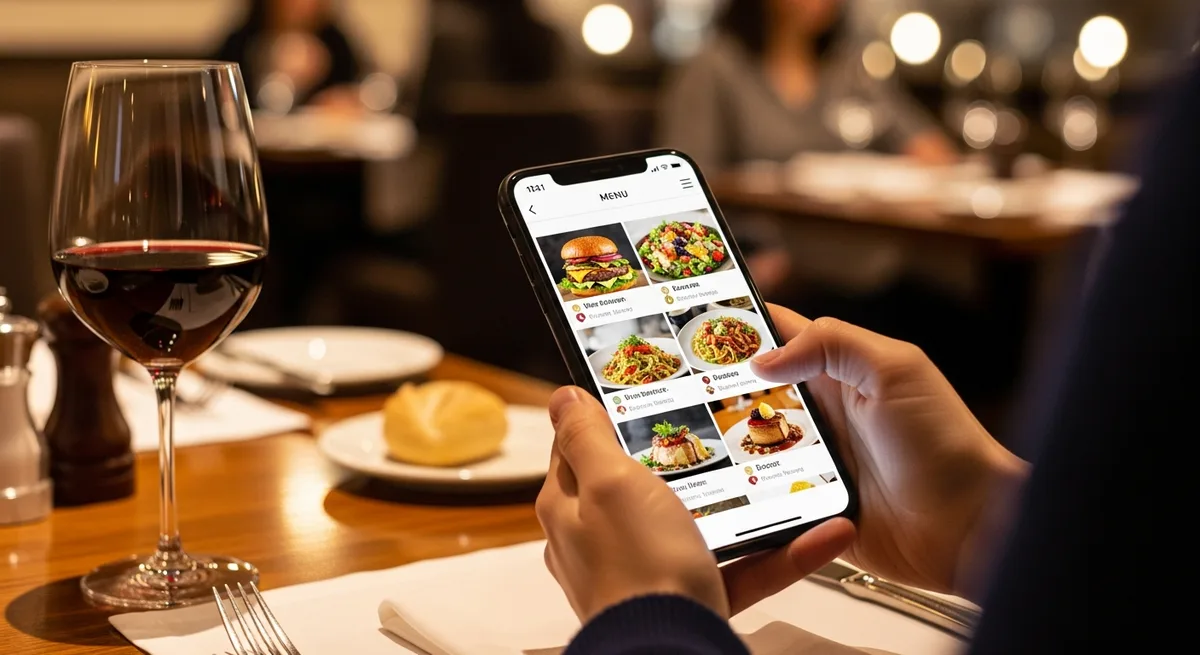
Your servers are busy. Tables are turning. And that perfectly rehearsed upsell script - "Would you like to add truffle fries for just $4?" - gets skipped more often than it gets said. The reality is that verbal upselling depends on staff memory, confidence, and timing, three variables you can't control at scale. That's why the most effective restaurant upselling techniques in 2026 aren't spoken at all. They're built directly into your digital menu, running silently on every single order.
The payoff is significant. Research from the Cornell Center for Hospitality Research has consistently shown that menu design and item positioning are among the strongest drivers of guest spending behavior - stronger, in many cases, than server recommendations. When you move those principles into a digital format, you gain the ability to automate, test, and refine them without retraining a single employee.
Here are five restaurant upselling techniques you can implement in a digital menu starting today.
1. Automated Add-On Suggestions at the Point of Selection
On a paper menu, add-ons live in fine print at the bottom of a section. Most guests never see them. On a digital menu, you can trigger an add-on prompt the moment a guest taps an item.
A customer selects a burger. Instantly, a prompt appears: "Add aged cheddar +$2 | Add smoked bacon +$3 | Make it a double +$5." The guest doesn't have to hunt for options. They don't have to wait for a server to remember. The suggestion appears at the exact moment of highest purchase intent.
This works because of a behavioral principle called the foot-in-the-door effect. Once someone has committed to buying an item, they're far more likely to agree to a small addition than they are to order that addition independently. Digital menus exploit this window automatically.
Restaurants using automated add-on prompts typically see a 12-20% increase in add-on attachment rates compared to relying on verbal upsells alone.
2. Strategic Visual Hierarchy and Item Placement
On a phone screen, there's no "Golden Triangle" like there is on a paper menu. Guests scroll top to bottom, and the items they see first get disproportionate attention. Smart digital menus use this to your advantage.
The technique is straightforward:
- Place your highest-margin items at the top of each category. The first two items in any scrollable list get 3-5x more views than items buried in the middle.
- Use photos selectively. Adding a photo to a high-margin item increases its order rate by up to 30%, according to menu engineering data. But adding photos to everything dilutes the effect. Be strategic - feature images only on the items you want to push.
- Highlight with labels. Tags like "Chef's Pick," "Most Popular," or "New" create social proof and draw the eye. On a digital menu, you can rotate these labels based on inventory, day of week, or margin targets.
If you want to go deeper on how layout and pricing displays affect ordering behavior, our guide on digital menu pricing psychology covers nine specific tactics backed by real-world data.
3. Smart Pairing Recommendations That Replace Server Knowledge
The best servers know that the guest ordering grilled salmon should hear about the Sancerre. But your best servers aren't at every table, every shift. A digital menu can surface pairing suggestions consistently, across every order, without training.
Food-to-beverage pairings are the highest-impact version of this. When a guest selects an entree, the menu can display 2-3 recommended wines or cocktails that complement the dish. This isn't just a revenue play - it genuinely improves the dining experience, which builds loyalty. For a deep dive into beverage-specific strategies, see our guide on digital wine lists and upselling.
But pairings go beyond drinks:
- Appetizer-to-entree bundles: "Pair with our house salad for $4 instead of $7"
- Dessert prompts after entree selection: "Guests who ordered this also loved our chocolate lava cake"
- Side dish upgrades: "Swap fries for roasted vegetables +$2"
The key is context. A generic "You might also like" feels like spam. A pairing that makes culinary sense feels like a recommendation from a knowledgeable friend. Platforms like Vino make it easy to set up these pairing rules once and let them run automatically across your entire menu.
4. Time-Based and Contextual Upselling Triggers
One of the most powerful restaurant upselling techniques that digital menus unlock is contextual awareness. Your menu can change what it promotes based on the time of day, the day of the week, or even the weather.
Here's what that looks like in practice:
- Happy hour: Between 4-6 PM, the menu automatically highlights discounted cocktails and shareable appetizers. The upsell isn't "spend more" - it's "you're getting a deal," which lowers resistance.
- Weekend brunch: Bottomless mimosa packages get top billing. The bloody mary bar appears as a featured add-on.
- Late-night service: Desserts and after-dinner drinks move to the top of the menu when most guests are past the entree stage.
- Slow nights: Tuesday dinner service can feature a prix fixe option that bundles a higher-margin appetizer and dessert with the entree, lifting average check while giving the guest perceived value.
With a paper menu, running these variations would mean printing multiple versions or relying on server scripts. With a digital menu, you set the rules once and let automation handle the rest. Your Tuesday menu literally becomes a different sales tool than your Saturday menu - without any manual work.
5. Upgrade Prompts Using the Decoy Effect
The decoy effect is one of the most well-documented phenomena in behavioral economics, and it translates perfectly to digital restaurant menus. The idea is simple: when you present three options and one of them exists primarily to make another look like a better deal, guests reliably choose the option you want them to.
Here's a classic example with drinks:
- Small coffee - $3.50
- Medium coffee - $5.00
- Large coffee - $5.50
The medium exists to make the large look like an obvious upgrade. For just 50 cents more, you get a significantly bigger drink. Most guests choose the large - which is exactly the outcome you designed for.
On a digital menu, you can apply this across your entire menu with precision:
- Wine by the glass vs. half-carafe vs. full bottle, priced so the half-carafe feels like the sweet spot
- Regular vs. premium vs. deluxe burger, where the price gap between premium and deluxe is minimal
- Individual dessert vs. dessert for two vs. dessert platter, nudging groups toward the platter
The digital advantage is that you can A/B test these price tiers and see actual conversion data. You're not guessing which decoy structure works - you're measuring it.
Why These Techniques Work Better on Digital Than in Person
It's worth stepping back to understand why automating these restaurant upselling techniques outperforms traditional verbal upselling:
Consistency. A digital menu delivers the same upsell prompt to every guest, every time. Your servers have off nights. Your menu doesn't.
No awkwardness. Many guests find verbal upsells pushy. A visual suggestion on a screen feels like information, not a sales pitch. Guests who would say "no thanks" to a server will quietly tap "add bacon" on a screen.
Data feedback loops. Every interaction with a digital menu generates data. You can see which add-ons get tapped, which pairings convert, and which decoy structures actually move the needle. Over time, your menu gets smarter - something a paper menu will never do.
Speed. Guests spend less time deliberating when suggestions are surfaced proactively. That means faster table turns without the guest feeling rushed, a combination that directly impacts your bottom line.
Start With One Technique and Measure the Results
You don't need to overhaul your entire menu operation overnight. Pick one of these five techniques - automated add-ons are usually the easiest starting point - and run it for two weeks. Track your average check size before and after.
Most restaurants see a measurable lift within the first week. A $2-3 increase in average check doesn't sound dramatic, but multiply it across 100 covers a night and you're looking at an additional $6,000-$9,000 per month in revenue from a change that took 30 minutes to set up. Vino's smart menu features make it simple to configure these upselling techniques without any technical expertise.
The restaurants that are winning the margin game in 2026 aren't the ones with the fanciest food or the most expensive fit-out. They're the ones treating their menu as a revenue engine - and letting technology do the heavy lifting that their staff was never going to do consistently.
Your menu is your highest-volume salesperson. Make sure it's actually selling.
Ready to go digital?
Create your restaurant's smart digital menu in minutes with Vino. No app downloads, no complicated setup.