Vino features, module by module
What each part of the platform does, which plan includes it and where to read the guide. Start with the menu and add table service and growth tools when you need them.
Stop imagining. Touch the real thing.
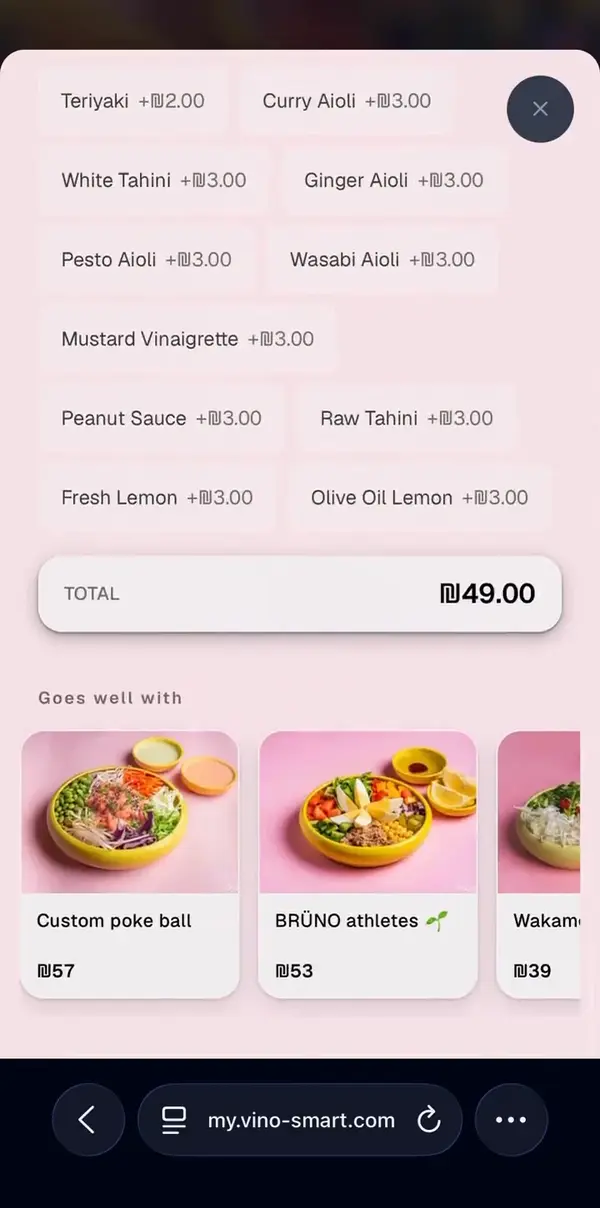
This is not a mockup. It is a live Vino menu, right here. Scroll it, tap it, try to break it.
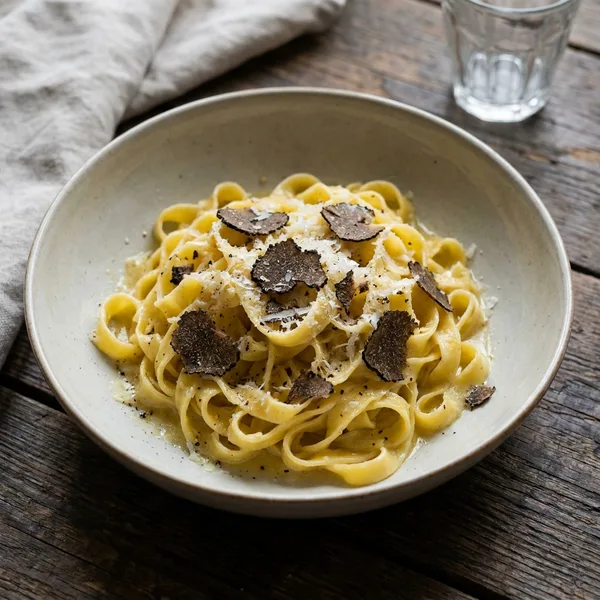
A real Vino menu. Zero commission.
A menu editor that keeps up with the kitchen
Categories sit on the left, dishes on the right. Every change saves on its own and shows up on your public menu right away, so there is no publish button and nothing to reprint.
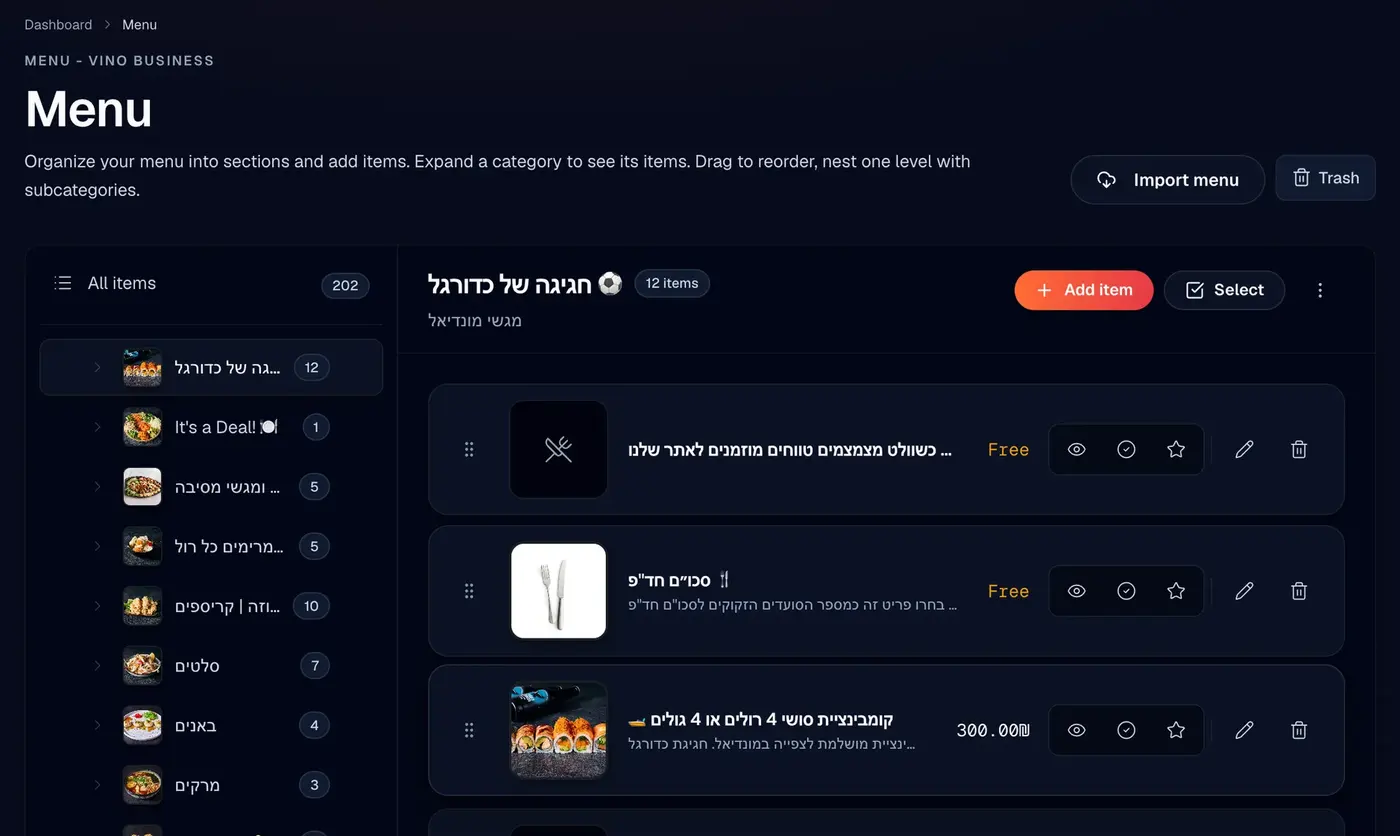
Categories and dishes
Group dishes into categories with one level of subcategories, drag rows into the order guests see, and give a dish up to 8 prices for its sizes.
Modifiers and options
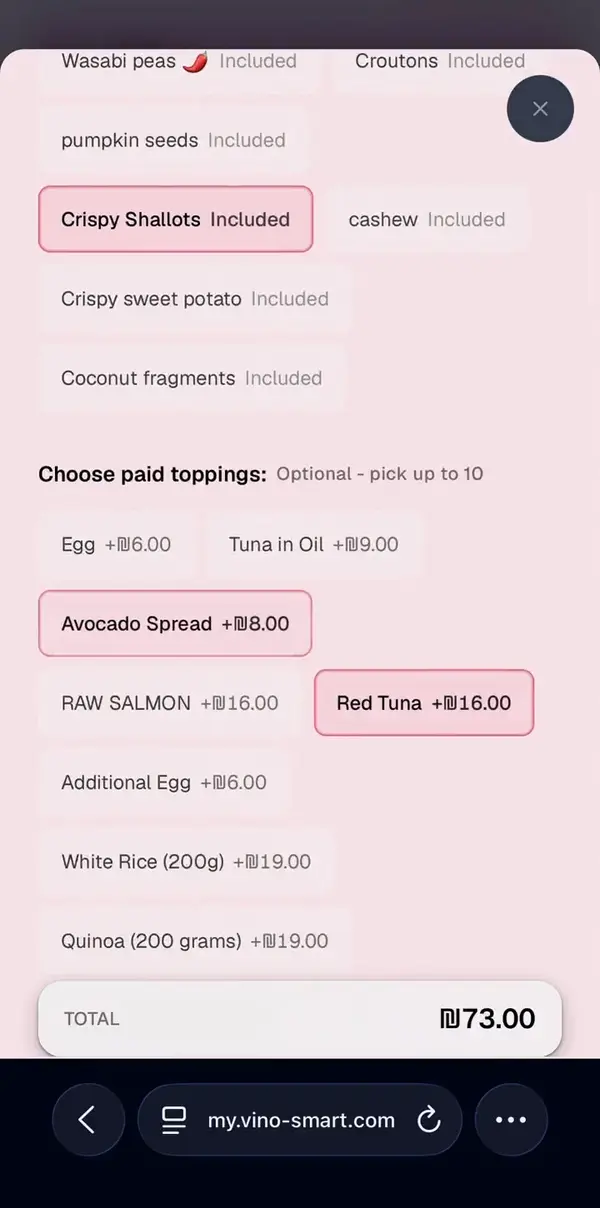
Build groups like Size or Extras once, make them required or optional with minimum and maximum picks, set price changes, and attach them to any dish.
Allergens, tags and stock
Flag any of the 14 EU allergens, add tags like Vegan or Spicy, star a signature dish, or switch a dish out of stock so it greys out instead of disappearing.
Photos in one library
Upload JPEG, PNG or WebP photos up to 5 MB. Vino compresses them in your browser and keeps every image in one searchable media library.
Trash and restore
Deleted dishes and categories wait in Trash for 30 days, so a wrong click is easy to undo.
Free covers one location with up to 25 items and 5 categories. Pro and up remove the limits.
Your menu, in your colors
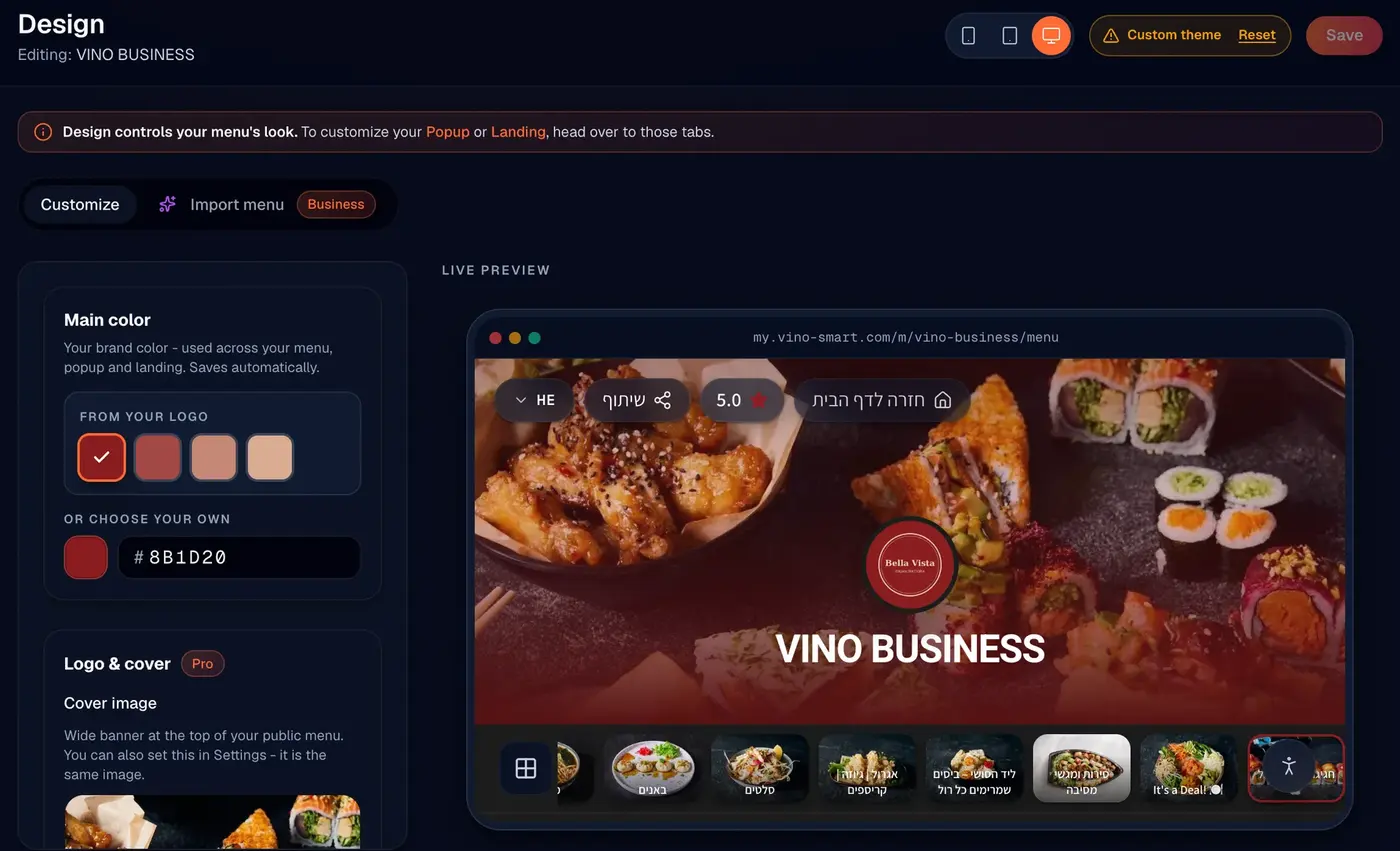
Pick a brand color or take one from your logo, choose fonts and a layout, and watch the live preview change as you go. Turn on a landing page if you want guests to see a welcome screen before the menu.
Colors from your logo Included in All plans
Vino suggests colors taken from your logo, or you can type any hex code. Your main color carries across the menu, popups and landing page.
Fonts, layout and cover photo Included in Pro and up
Choose heading and body fonts, including families that support Hebrew, pick a Rows, Gallery or Featured layout, and set the height and overlay of your cover photo.
A preview for every screen Included in Pro and up
Switch the live preview between mobile, tablet and desktop before you save.
Branded landing page Included in Business and up
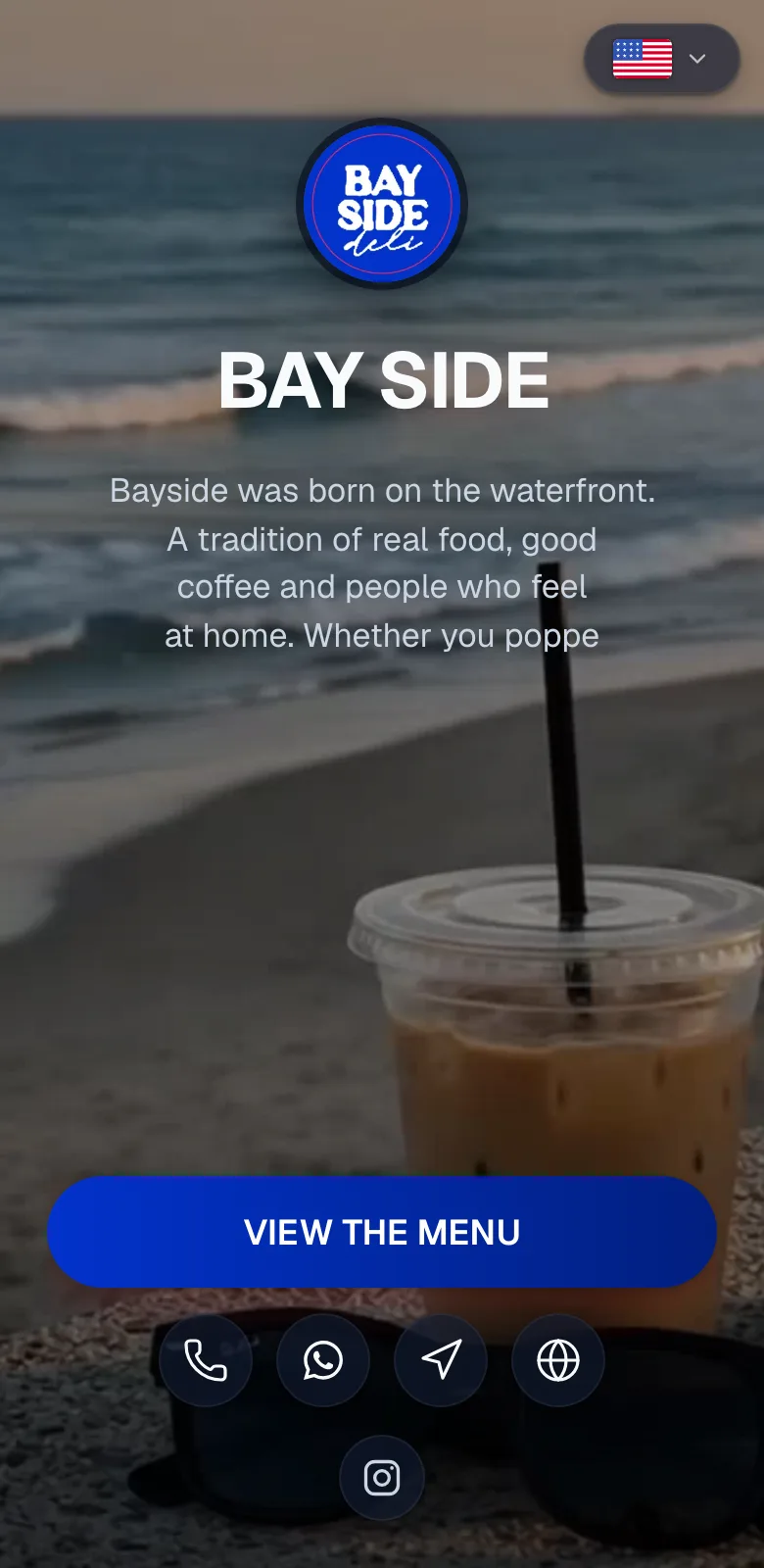
A welcome screen at your menu link with a cover photo or video, a View menu button, quick links, and one-tap call, WhatsApp, directions and social shortcuts.
Remove Vino branding Included in Pro and up
Hide the Powered by Vino badge from the header and footer of your public menu.
A QR code for every venue
Each location gets its own menu, its own link and its own QR code. Download a print-ready file, add your logo if you like, and guests land straight on that venue's live menu.
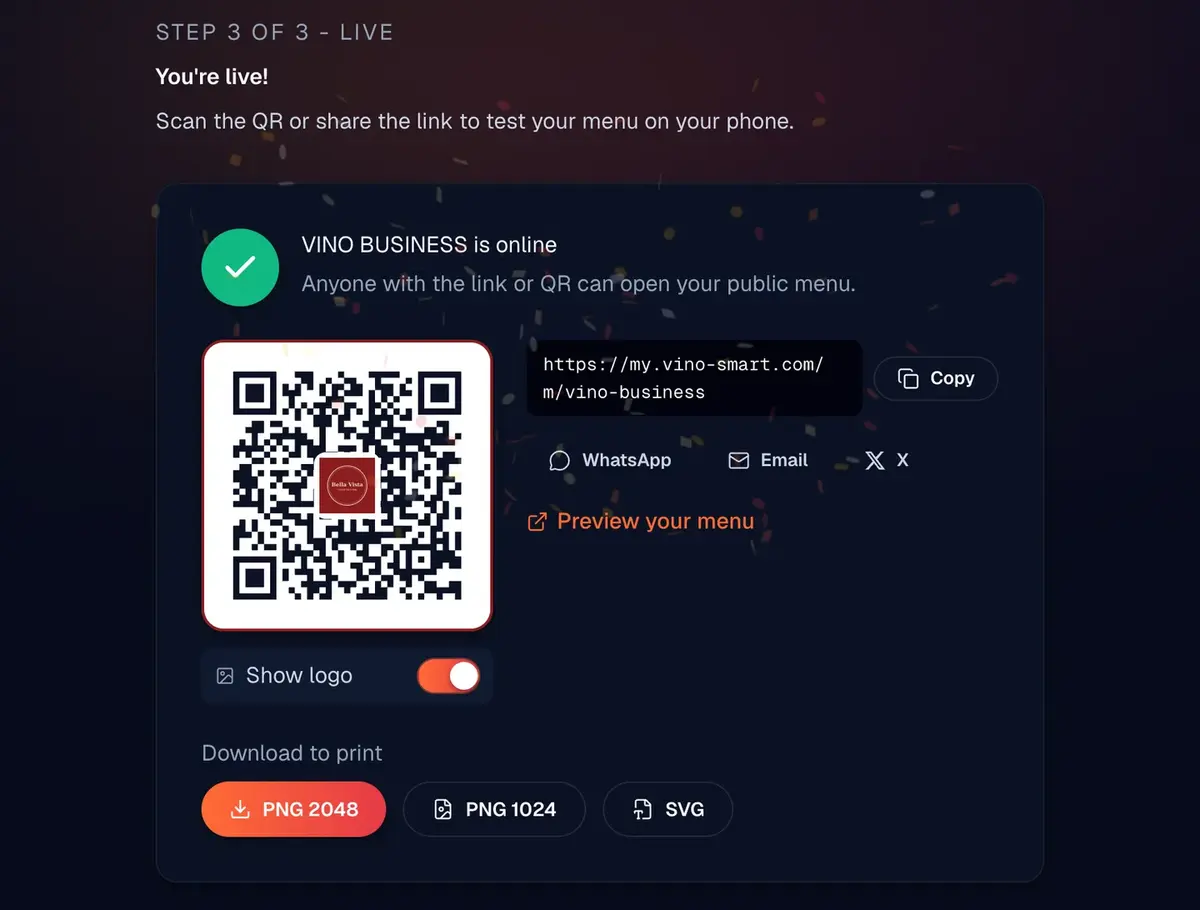
One code per location Included in All plans
The code opens that venue's menu link. Turning the landing page on or off never changes the link, so printed codes keep working.
Print-ready files Included in Pro and up
PNG 2048 for table tents and posters, PNG 1024 for the web, and SVG for your designer. File names include the location, so files never get mixed up.
Your logo in the center Included in Pro and up
Use your brand logo or a different one for each venue. Vino adds a white halo behind it so the code stays readable.
More than one venue Included in Business and up
Add a location with its own short link and copy the menu from another venue to start fast. Theme, hours and reviews stay separate for each one.
NFC tags
Prefer a tap to a scan? Vino NFC tags open the same menu with a tap, and each one carries your QR code as a backup.
Business and Studio include 3 locations. Extra locations are $19 a month each.
Step-by-step guides
Write the menu once. Guests read it in their language.
Guests switch your menu to their language with one tap, and Hebrew and Arabic flip to right to left on their own. On Business, AI fills in the translations, scans paper menus and helps with photos and alt text.
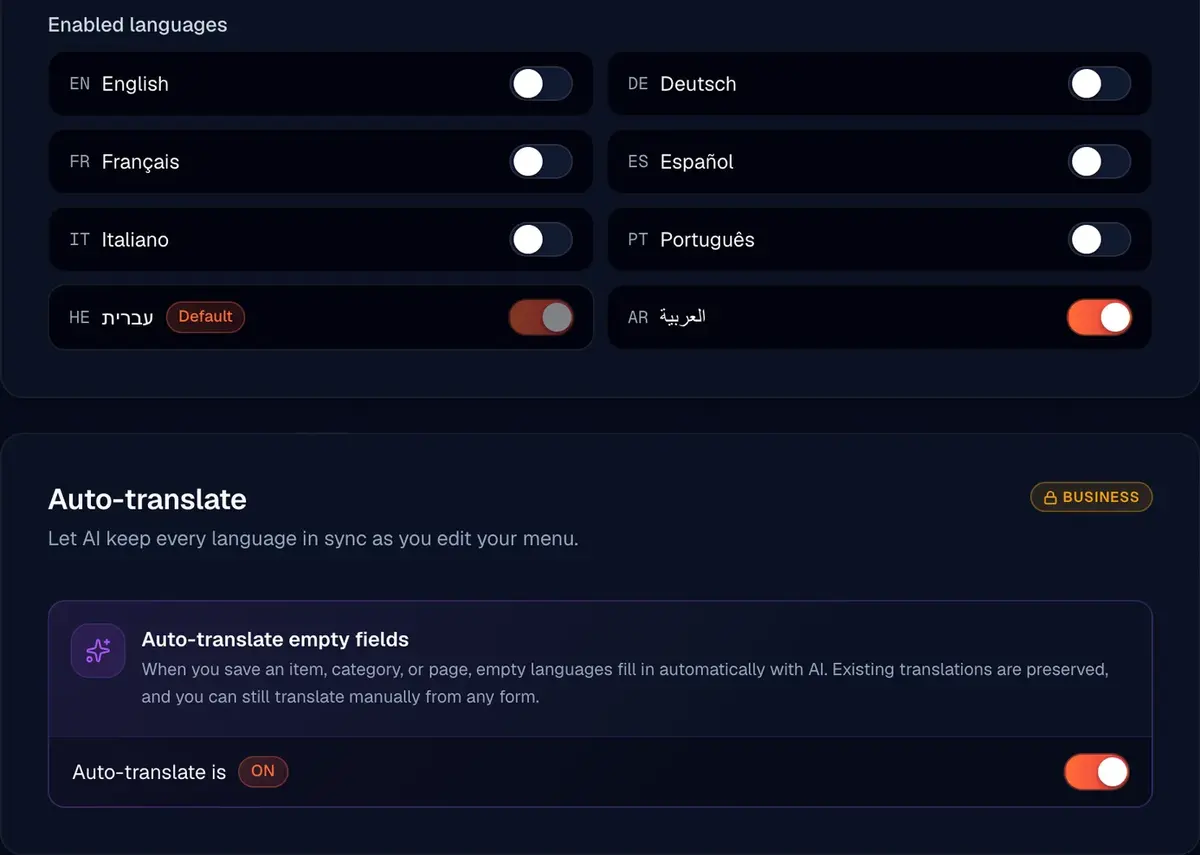
Up to 9 menu languages Included in All plans
English, German, French, Spanish, Italian, Portuguese, Hebrew, Arabic and Russian. You choose which ones your menu offers.
AI auto-translate Included in Business and up
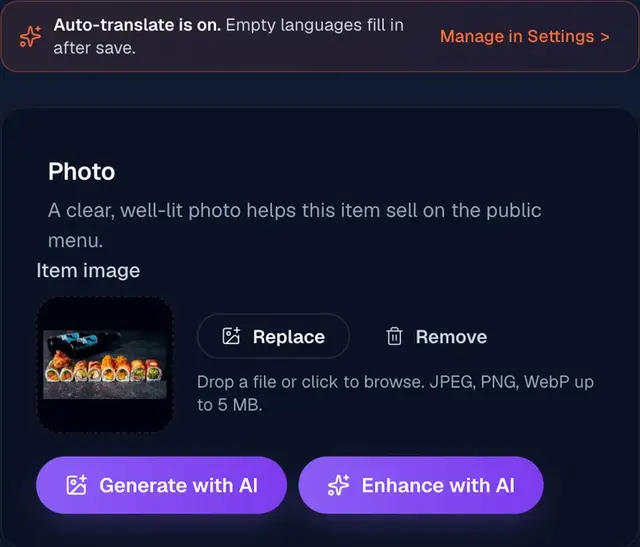
Write in your main language and save. Google's Gemini AI fills every empty language, keeps dish names as you wrote them, and never overwrites a field you edited.
Scan a paper menu Included in Business and up
Upload a photo or PDF of your printed menu. AI pulls out the dishes, and you review them before they go live.
AI photo tools Included in Business and up
Enhance the light, color and detail of a dish photo, or generate an image for a dish that has none.
AI alt text Included in Business and up
Image descriptions for screen readers in every language you enable, written for one photo or for 50 at a time.
Guests order from the table. Your team sees it live.
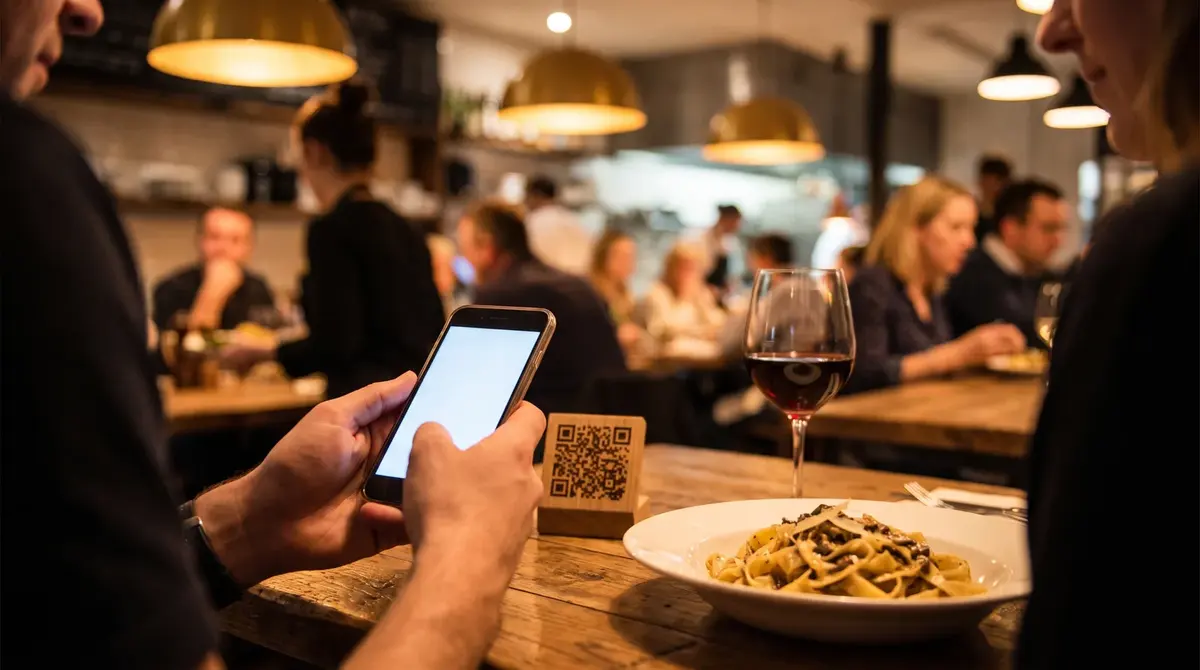
Every table gets its own QR code. Guests order, call a waiter or ask for the bill from their phone, each request lands on one live service board, and the kitchen gets a printed ticket.
Floor plan and table codes Included in Pro and up
Map your zones and tables, then print a QR code for each table so every order is tied to the right one.
Scan to order Included in Pro and up
Guests browse the live menu, choose sizes and extras, and send the order to the kitchen. There is no app to install.
Waiter calls and bill requests Included in Pro and up
One tap calls a waiter or asks for the bill, so nobody has to wave across the room.
Live service board and kitchen tickets Included in Pro and up
Orders, calls and bill requests appear on one screen as they happen, and each order prints as a branded kitchen ticket.
Reservations and POS Included in Business and up
Business adds online reservations with live table availability, plus POS and printer integrations through signed order webhooks.
Step-by-step guides
Give guests a reason to come back
Collect reviews on the menu, put today's offer in front of every guest, and build a contact list that stays yours. On Studio, guests can also send short videos you can use in your marketing.
Reviews on your menu Included in All plans
Guests rate their visit without logging in. You choose which reviews show, and once you add your Google review link, anyone who gives 4 or 5 stars gets a one-tap prompt to post there too.
Promotional popups Included in Pro and up
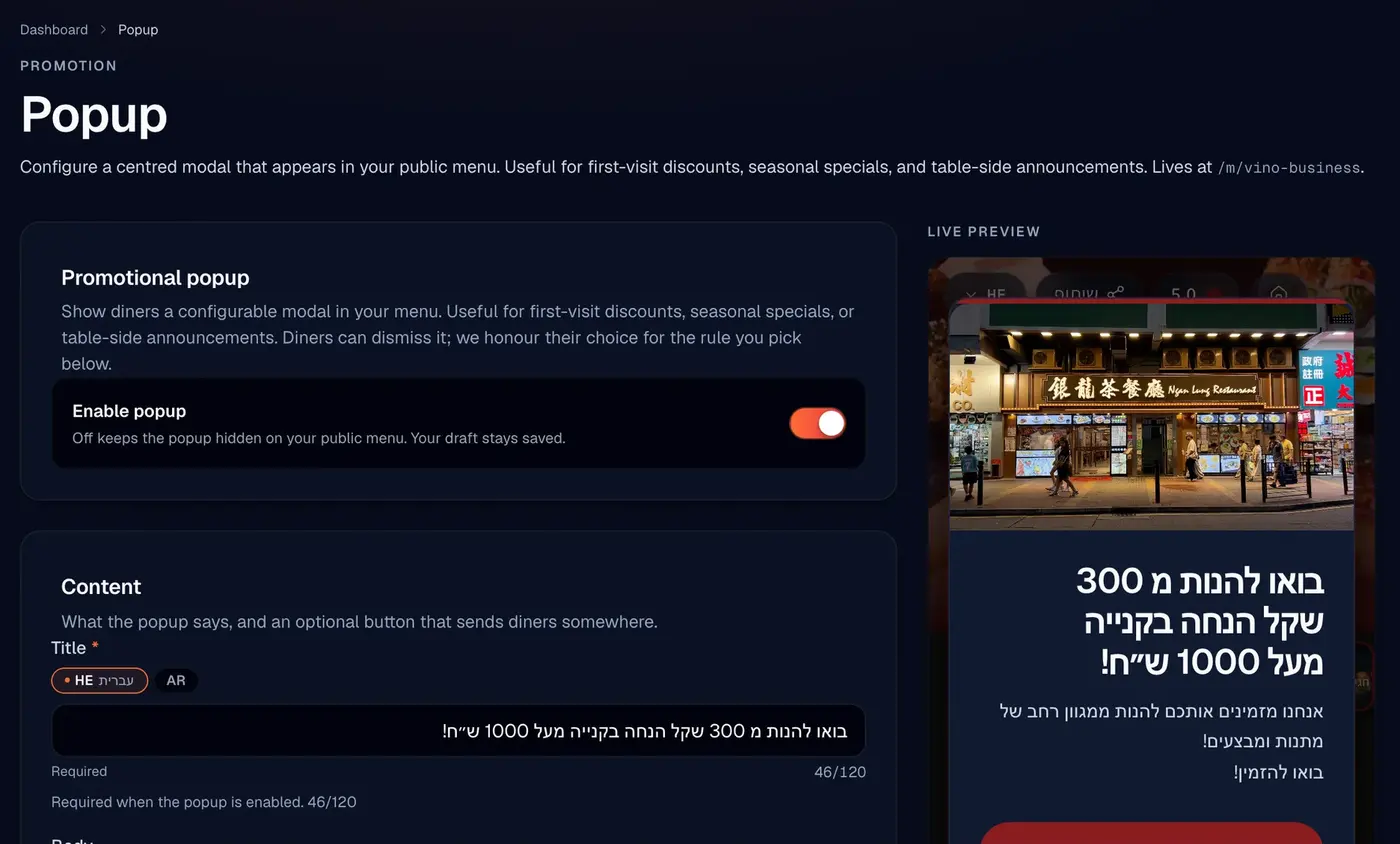
Show a special, an event or a first-visit offer when the menu opens, after a delay or at a scroll depth, and choose how often repeat visitors see it.
Customer Club Included in Business and up
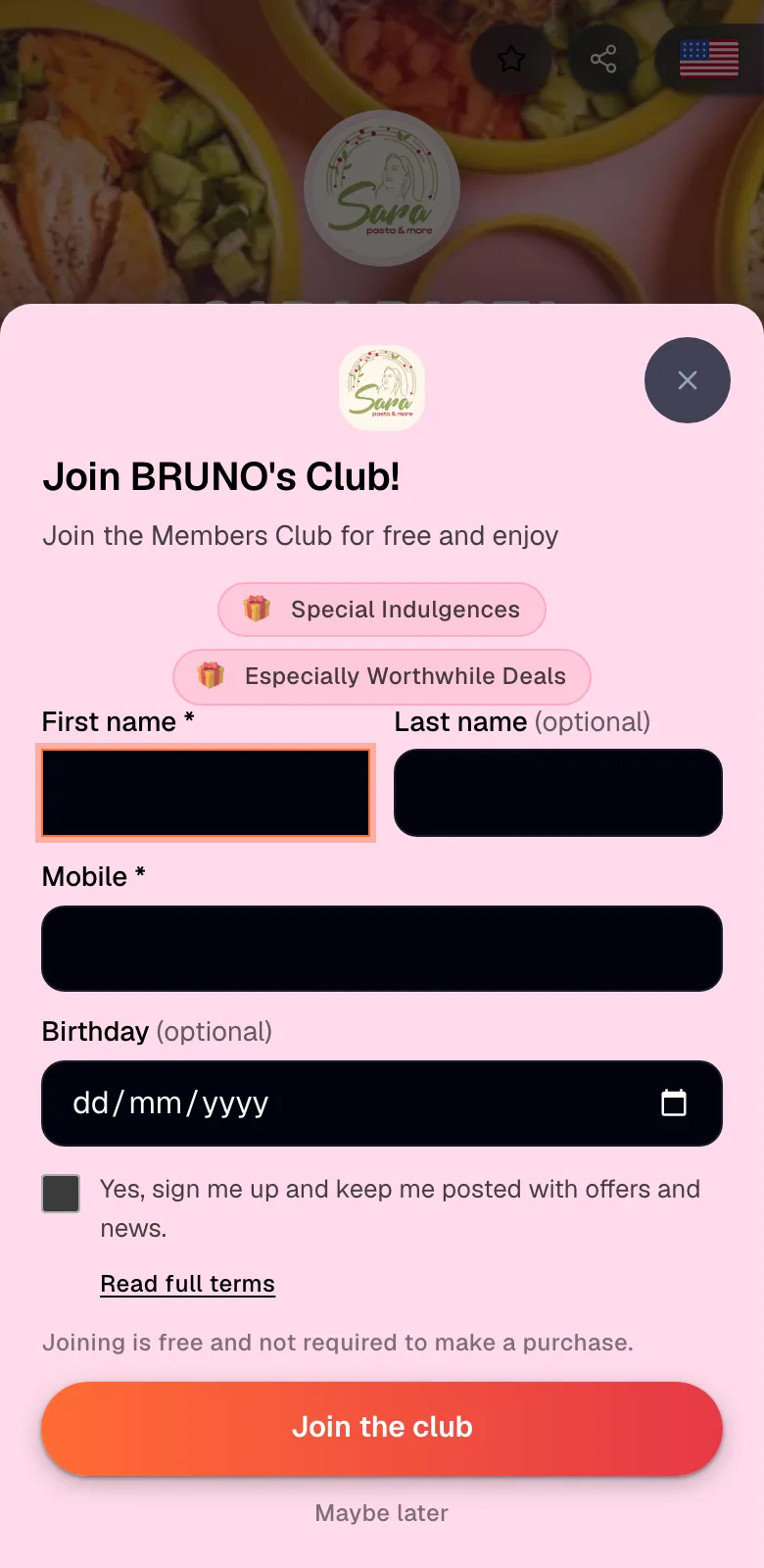
Guests join from the menu with their name, mobile number and clear consent to hear from you by SMS, WhatsApp or email. Search the list and export it as a CSV file.
Dish likes Included in Pro and up
Guests tap a like on the dishes they love, and you see the favorites in your dashboard.
Guest Video Rewards Included in Studio
Guests film a 5 to 60 second clip from the menu, AI screens it, and they get a voucher for a free menu item you choose. You can download the original clip for your marketing.
Step-by-step guides
See what guests actually look at
Analytics shows how guests use your menu: how many open it, which dishes they tap, when they browse and in which language. Times follow your venue's clock, not UTC.
Views, visitors and dish views
Headline numbers and a daily chart for the last 7, 30 or 90 days.
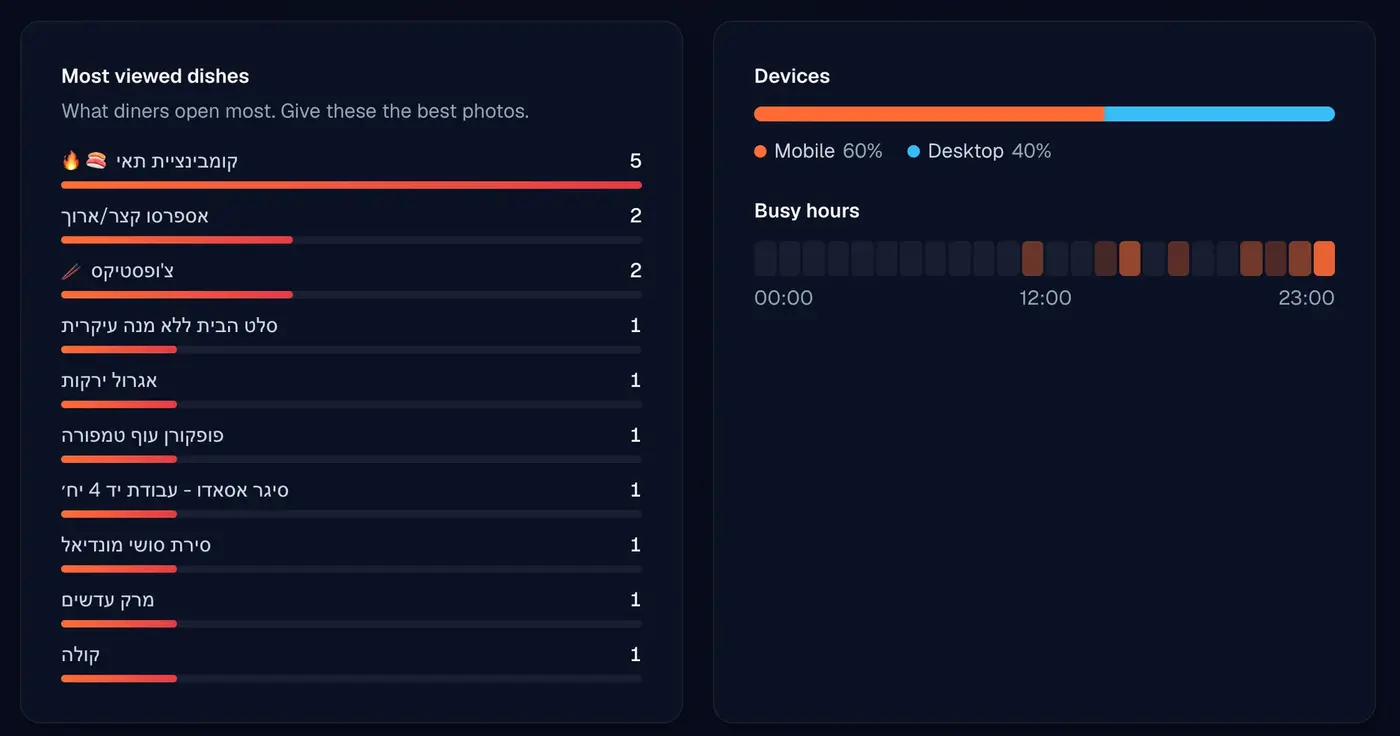
Most viewed dishes
Your top 10 dishes by views, so you know which photos and descriptions deserve the most care.
Busy hours, devices and languages
When people browse, on which devices and in which languages, plus where your visitors came from.
Table-service numbers
Orders, waiter calls and bill requests sit next to your menu stats.
Smart upsell
Show goes-well-with suggestions inside each dish, and see how often they were shown and tapped.
Step-by-step guides
What each plan includes
Each plan includes everything in the one before it. Pro and Business come with a 14-day free trial and Studio with 28 days, for first-time subscribers.
| Feature | Free$0 forever | Pro$29/month | Business$79/month | Studio$99.90/month |
|---|---|---|---|---|
| Menu and design | ||||
| Digital menu and QR code | Included | Included | Included | Included |
| Locations | 1 | 1 | 3 included | 3 included |
| Menu items and categories | 25 items, 5 categories | Unlimited | Unlimited | Unlimited |
| Design studio and custom themes | Basic customization | Included | Included | Included |
| Remove Vino branding | Not included | Included | Included | Included |
| Advanced QR codes (SVG, PNG, logo) | Not included | Included | Included | Included |
| SEO tools | Not included | Included | Included | Included |
| Custom domain | Not included | Included | Included | Included |
| Branded landing page | Not included | Not included | Included | Included |
| Languages and AI | ||||
| Menu in up to 9 languages | Included | Included | Included | Included |
| AI auto-translate | Not included | Not included | Included | Included |
| AI menu scan | Not included | Not included | Included | Included |
| Menu import from Wolt or a website | Not included | Not included | Included | Included |
| AI image enhancement and generation | Not included | Not included | Included | Included |
| AI alt text | Not included | Not included | Included | Included |
| Table service | ||||
| Floor plan and table QR codes | Not included | Included | Included | Included |
| QR scan-to-order | Not included | Included | Included | Included |
| Call a waiter and request the bill | Not included | Included | Included | Included |
| Live service board and kitchen tickets | Not included | Included | Included | Included |
| Online reservations | Not included | Not included | Included | Included |
| POS and printer integrations | Not included | Not included | Included | Included |
| Guest growth | ||||
| Guest reviews and ratings | Included | Included | Included | Included |
| Promo popups | Not included | Included | Included | Included |
| Dish likes | Not included | Included | Included | Included |
| Customer Club | Not included | Not included | Included | Included |
| Guest Video Rewards | Not included | Not included | Not included | Included |
| Analytics and support | ||||
| Menu analytics with table-service numbers | Not included | Not included | Included | Included |
| Smart upsell suggestions | Not included | Not included | Included | Included |
| REST API | Not included | Not included | Included | Included |
| Support | Priority | Priority | ||
Extra locations on Business and Studio are $19 a month each. Groups with 10 or more locations can ask us about a custom setup.
See full pricingFrequently asked questions
Common questions about Vino's features and capabilities.
No, customers do not need to download any app. When guests scan your QR code, the digital menu opens directly in their smartphone's web browser, whether they use an iPhone or an Android device. This means zero friction for your customers and instant access to your full menu.
Vino gives you two AI photo tools. You can enhance the photos you already have so they look professional, or generate brand-new food images from a short description, with no photographer needed. Both are part of the Business plan.
Yes, Vino gives you full control over your menu's appearance. You can upload your restaurant's logo, choose your brand colors, select fonts, and add custom backgrounds. The Pro and Business plans unlock the full design studio, with themes, custom layouts, and live styling, so your digital menu truly reflects your restaurant's unique identity and personality.
You can author your menu in up to 9 languages on any plan, including Arabic and Hebrew, which display right to left. Each guest sees the menu in their preferred language, which is ideal for tourist areas and diverse neighborhoods. The Business plan adds one-click AI translation that fills every enabled language for you.
Yes. The Business plan at $79/month includes 3 locations and adds $19/month per extra location. You manage every location from a single dashboard, share base menus, and customize pricing per location. Studio keeps the same 3 locations and adds Guest Video Rewards on top. For larger chains, contact us about a custom setup.
Yes. With table service on the Pro plan and up, every table gets its own QR code. Guests scan, browse your live menu, and send their order straight to your kitchen, with no app to download. They can also call a waiter or request the bill with a single tap, and you see everything on a live service board.
No. Everything happens in the phone's web browser after scanning the table QR code. There is nothing for your guests to install, and diners pay through your own payment processor, so Vino never takes a cut of your revenue.
No. Vino's table service works on its own, with orders printing to your kitchen as branded tickets. If you already run a POS or kitchen printer, the Business plan adds POS and printer integrations that push table orders to your existing setup with signed order webhooks.
The full tableside suite (floor plan and table QR codes, QR scan-to-order, call a waiter, request the bill, the live service board, and kitchen bon printing) is included on Pro. Online reservations and POS and printer integrations are on the Business plan.
Vino turns your menu into a reporting tool. You get menu views, your most viewed dishes, busy hours, devices and languages over 7, 30, or 90 days, table-service KPIs like orders, waiter calls, and bill requests, and a first-party guest contact list through the Customer Club. You can also connect your own Google Analytics or Tag Manager.
Launch the menu today, add the rest later
Every account starts on Free. Upgrade to Pro, Business or Studio from your dashboard when you are ready, or book a demo and we will walk you through it.