Collect and display customer reviews
Turn on reviews to gather diner ratings on your menu, moderate them, boost SEO with Google schema, and cross-post 4-5 star reviews to Google.
Reviews let you collect and moderate diner ratings and comments directly on your public menu. They build trust with new customers, boost your SEO through Google structured data, and give happy diners a one-tap way to cross-post to Google. It's a lightweight feature that's quick to set up.
Open the Reviews page
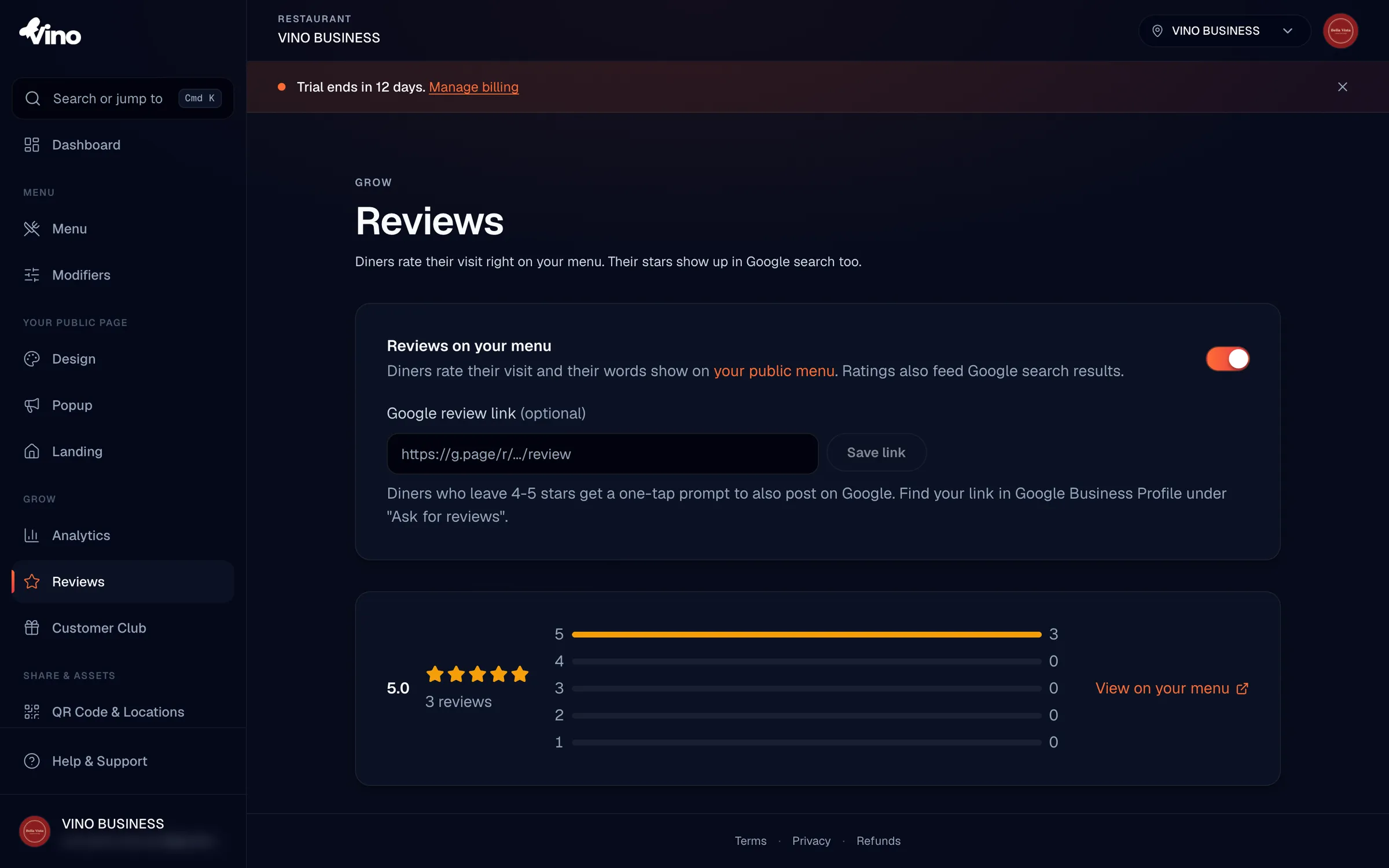
In your Vino dashboard, open Reviews from the Grow section of the sidebar. This is your home for everything reviews: a settings card at the top, an aggregate card showing your overall rating and a star-by-star breakdown, and a moderated list of every review you've collected. From here you control whether reviews are visible, which ones show on your menu, and how diners are invited to leave them.
Enable reviews on your menu
Toggle Reviews on your menu to on. This makes the review form visible to diners on your public menu, so they can rate you and leave a comment. When the toggle is off, diners cannot write reviews and any existing reviews stay hidden from the public menu. The toggle is off by default, so this is the one switch you need to flip to start collecting feedback.
Review writing is completely anonymous for diners. No login, account, or app is required, so the barrier to leaving you a rating is as low as possible.
Add your Google review link (optional)
Paste your Google Business Profile review link in the Google review link field, then click Save link. You'll find this link in your Google Business Profile under "Ask for reviews." Once it's saved, any diner who leaves you 4 or 5 stars sees a one-tap "Share it on Google too" button right after submitting, turning your best feedback into public Google reviews.
- Paste the full HTTPS URL from your Google Business Profile.
- Accepted formats include
g.page,search.google.com,maps.google.com, andgoogle.com/mapslinks. - The link must be a valid HTTPS URL under 300 characters.
- Leave the field empty to disable the Google cross-post prompt entirely.
Share your menu and collect reviews
Share your public menu URL with customers or print your QR codes so diners can reach your menu at the table. On the menu, diners tap Write a review to leave a star rating and a comment. With reviews enabled, submissions publish automatically and appear on your public menu right away, and they also show up in your dashboard list for you to monitor.
Vino protects you from spam automatically. Anonymous submissions are rate-limited per IP (3 per day per location) and per location (60 per day), and every submission passes through an invisible honeypot and Cloudflare Turnstile check. You don't need to configure anything.
Moderate your reviews
Each review appears as a card in your dashboard showing the star rating, author name, date, and a status badge. Use the controls on each card to keep your menu showing the feedback you want:
- Eye / eye-slash icon - toggle a review's visibility to hide it from your public menu or show it again.
- Trash icon - soft-delete a review. Deleted reviews disappear from both the dashboard and the public menu but can be recovered for 30 days before they're permanently removed.
You can change a review's visibility or delete it, but you can never edit a diner's words or their rating - author name, comment, and stars are read-only by design. This keeps reviews authentic and trustworthy, and protects them from tampering.
Filter and search reviews
Use the filter chips at the top of the list to switch between All, Published, and Hidden reviews, or to narrow by star rating (5, 4, 3, 2, or 1 stars). The search box lets you find a specific review by author name or by text in the comment. This makes it easy to track down a particular piece of feedback or focus on, say, every 1-star review that needs attention.
Read your aggregate stats
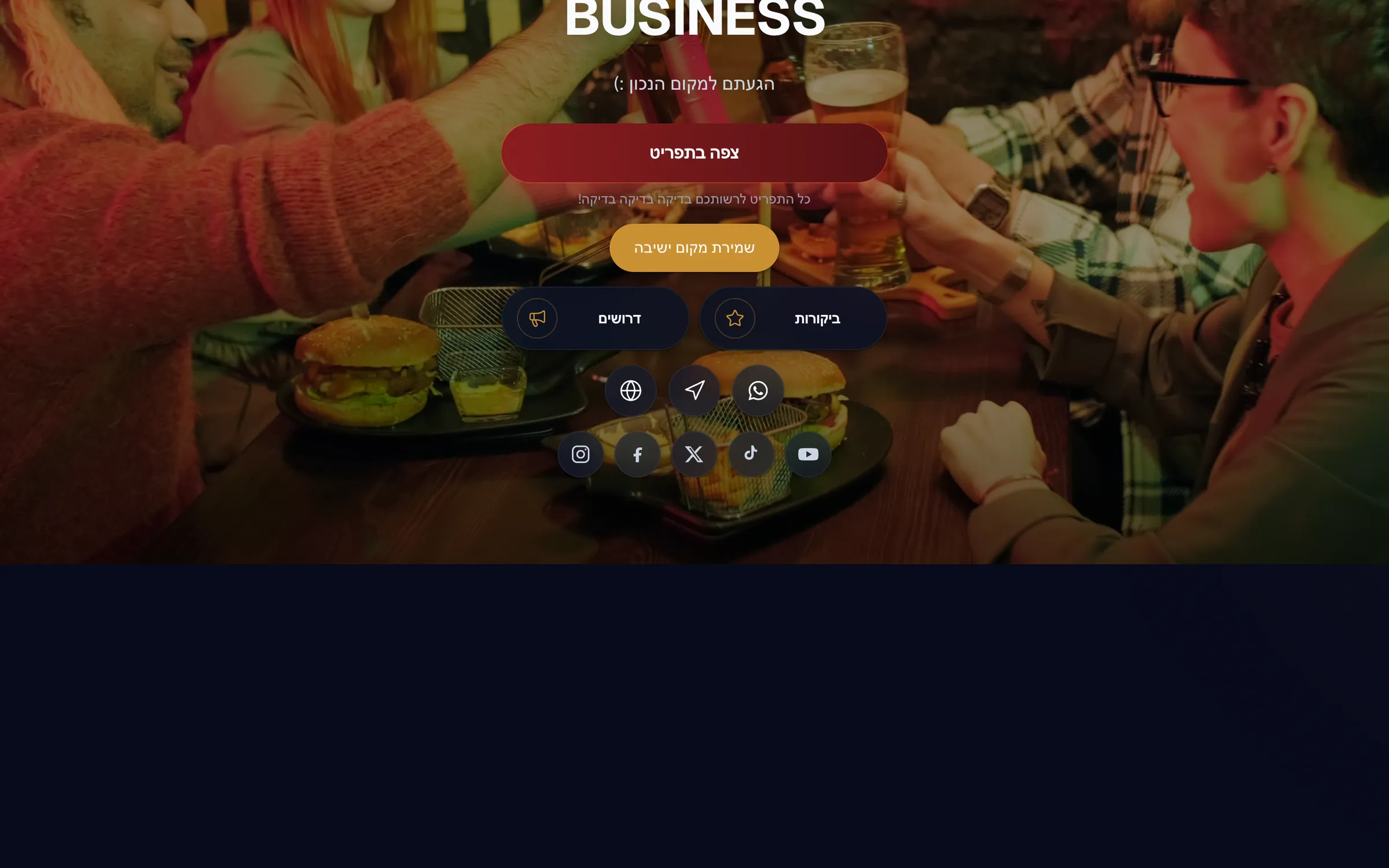
The aggregate card at the top of the page shows your average rating, your total review count, and a histogram of how many reviews you have at each star level - a quick read on how your restaurant is performing. Click View on your menu to jump to the public reviews section and see exactly what diners see, including the "What diners say" heading, recent review cards, and the "Write a review" button.
Boost SEO with review schema
When reviews are enabled and you have at least one published review, Vino automatically adds an aggregateRating object (schema.org structured data) to your public menu. Google can use this to show star ratings in search results, helping your menu stand out and attract more clicks. Only published reviews count toward the aggregate, so moderation directly shapes the rating Google sees.
Translate reviews automatically
Each review records the language the diner was reading your menu in when they submitted it. When you or a diner views the menu in a different language, a Translate button appears under any review written in another language, so feedback is readable in every diner's tongue. Translations are cached on each review, so the same comment is never reprocessed.
| Action | Where to find it | Effect |
|---|---|---|
| Enable reviews | Settings card → Reviews on your menu (ON) | Diners can write reviews; published reviews show on your menu |
| Add Google cross-post | Settings card → Google review link → Save link | 4-5 star reviewers get a "Share it on Google" button |
| Hide a review | Eye-slash icon on the review card | Review is removed from the public menu |
| Delete a review | Trash icon on the review card | Soft-deletes; recoverable for 30 days |
| Filter | Filter chips at the top of the list | Show All, Published, Hidden, or by star rating |
| Translate | Translate button under a review | Shows the comment in the menu's current language |
Still stuck? Email info@vino-smart.com and our team will help you get reviews working on your menu.