Billing and refund FAQ
Answers to common billing questions: Paddle as merchant of record, updating your card, canceling, the 14-day refund window, and invoices.
Most billing questions about Vino Smart Menus come down to one thing: Paddle handles payments as Vino's merchant of record, so cancellations, card updates, and invoices live in the Paddle customer portal rather than inside the Vino app. This page answers the questions we hear most about payments, canceling, and refunds. You can manage everything from the Plan & Billing page in your dashboard.
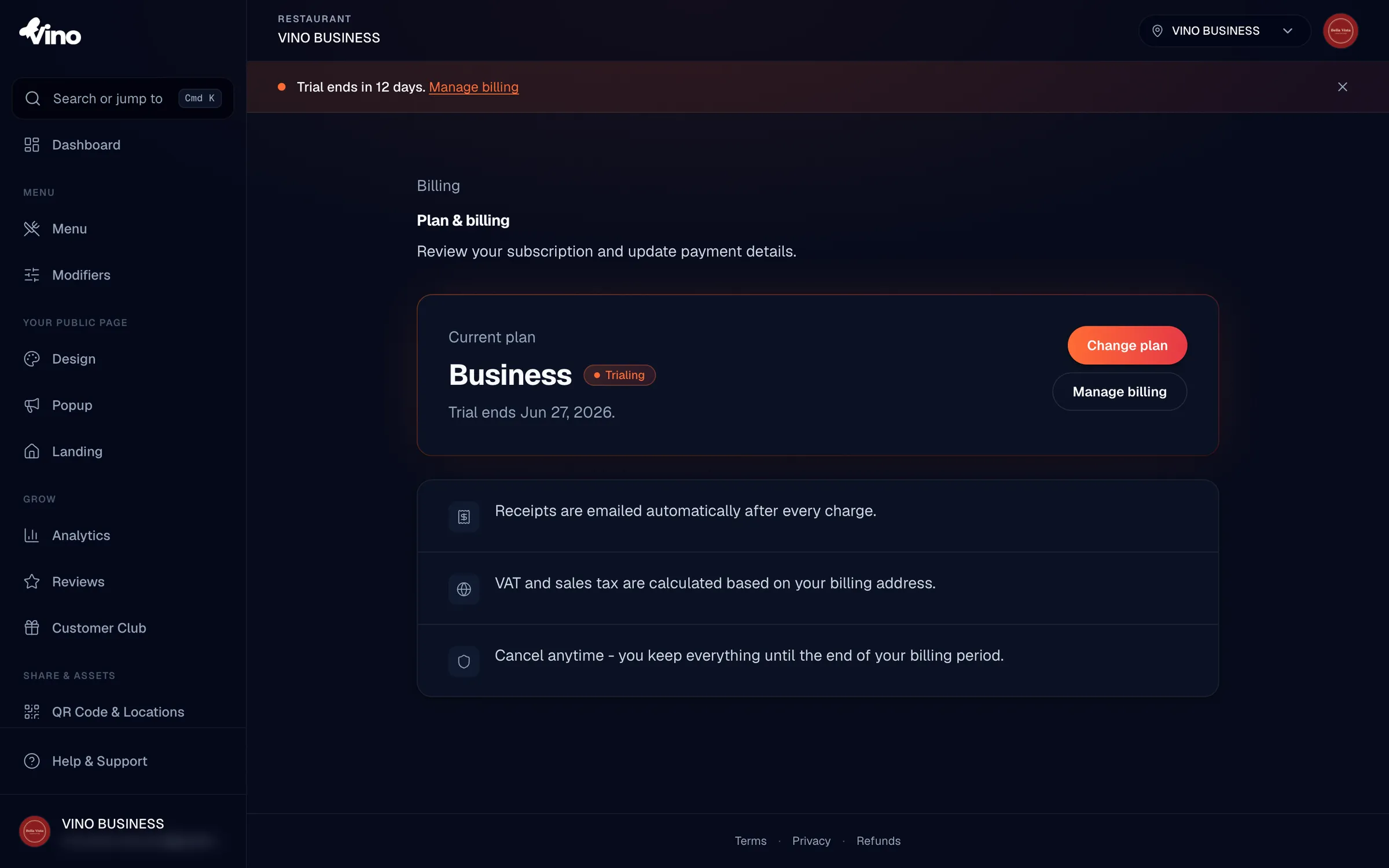
Free, Pro, and Business plans are all billed through Paddle. Paddle (not Vino) may appear on your card statement and receipts, and your card details are never stored in the Vino app.
Paddle, your payment method, and invoices
Because Paddle is the merchant of record, all subscription management beyond upgrading happens in Paddle's hosted customer portal. To open it, go to Plan & Billing (click your avatar, then Plan & billing) and click Manage billing. The portal opens in a new tab, and any change you make there takes effect immediately.
In the Paddle portal you can:
- Update your payment method or billing address.
- Download invoices and view your full payment history.
- Cancel your subscription.
- Pause or resume your subscription.
A receipt is emailed to you automatically every time you are charged, so you don't have to open the portal just to keep a copy.
VAT and sales tax are calculated by Paddle at checkout based on your billing address, so the total you confirm already reflects any tax that applies to you.
Canceling and the 14-day refund
To cancel, click Manage billing, open your subscription in the Paddle portal, and choose Cancel subscription. You can cancel immediately or at the end of your current billing period. By default you keep your paid access until the period ends, then your account drops to the Free plan automatically. Your menus and content stay in your account, subject to Free tier limits.
Pro, Business, and Studio plans include a 14-day full refund. If you decide Vino isn't the right fit within 14 days of your paid subscription starting, we will issue a full refund for that charge. After the 14-day window, charges are non-refundable, and canceling or downgrading does not refund the unused portion of the current period.
| Situation | What happens |
|---|---|
| Within 14 days of starting any paid plan | Email us for a full refund of that charge. |
| After 14 days | Charge is non-refundable. |
| Cancel or downgrade mid-cycle | Access continues until the period ends; no refund for unused time. |
The 14-day refund applies to Pro, Business, and Studio plans. The Free plan has no charge to refund.
Requesting a refund
Refund requests are handled by our team rather than in the portal. To request one, email info@vino-smart.com with your account details and the charge you'd like refunded. If you're inside the 14-day window on any paid plan, we'll process a full refund for that charge.
Still stuck? Email us at info@vino-smart.com and we'll help with any billing or refund question.